MikesPlanner.com

Project, program and portfolio management in one place

Run predictive and agile projects side by side. Plan with a WBS and Gantt chart or a backlog and sprint board, keep risks and stakeholders in registers, control changes, edit documents in the browser, report to customers, and roll everything up to programs and portfolios.

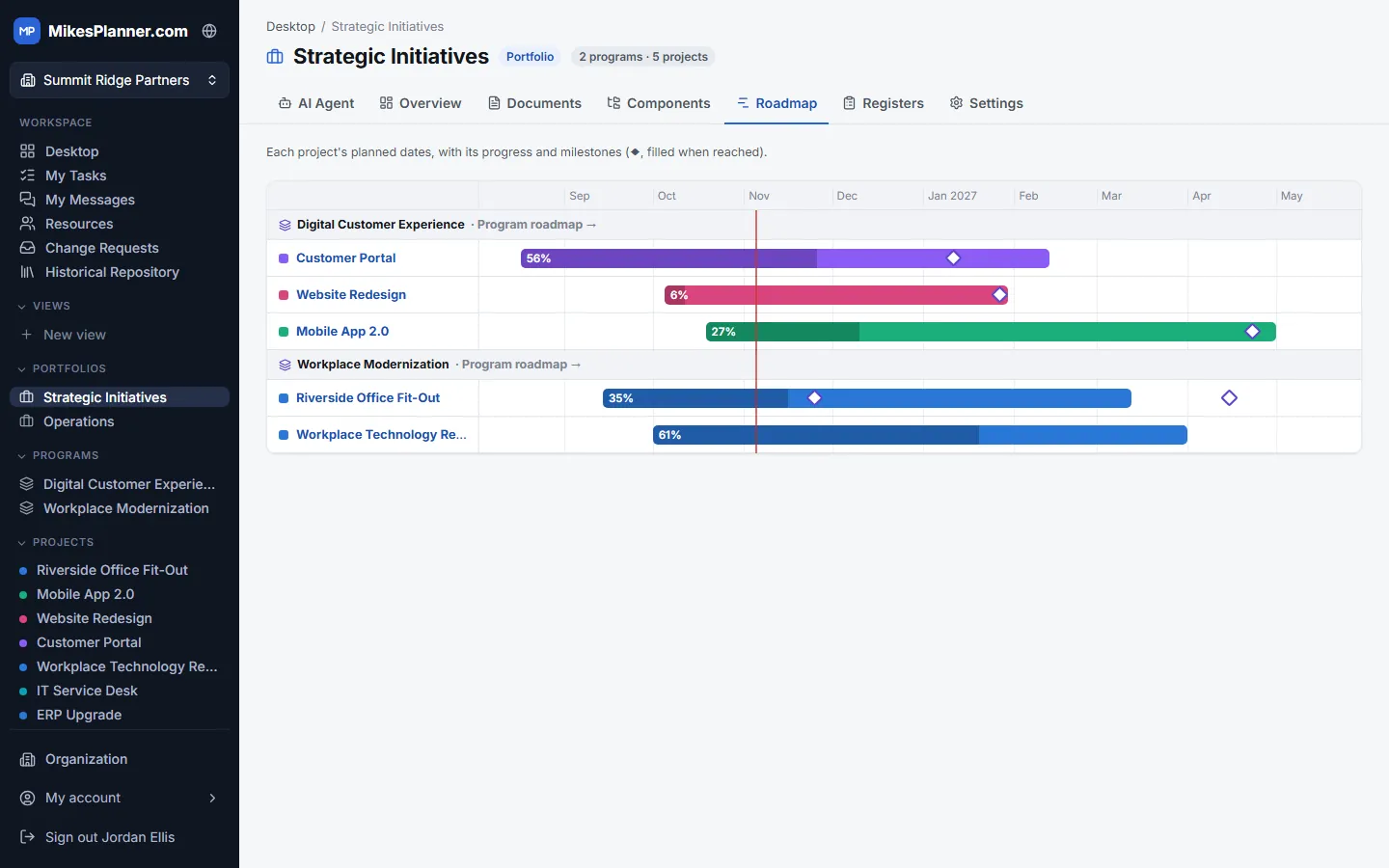
A portfolio roadmap in MikesPlanner showing programs, projects, progress and milestones

Delivery approaches

Predictive Project Management

Plan the whole project up front, then manage to the plan.

  • Build the work breakdown structure, then schedule every activity under its work package.
  • Track progress by phase (initiating, planning, executing, monitoring and closing).
  • Earned value management shows schedule and cost performance (SPI, CPI, SV and CV) as the work is done.
  • A snapshot of what’s complete, overdue and coming up next, plus a status log and printable reports.
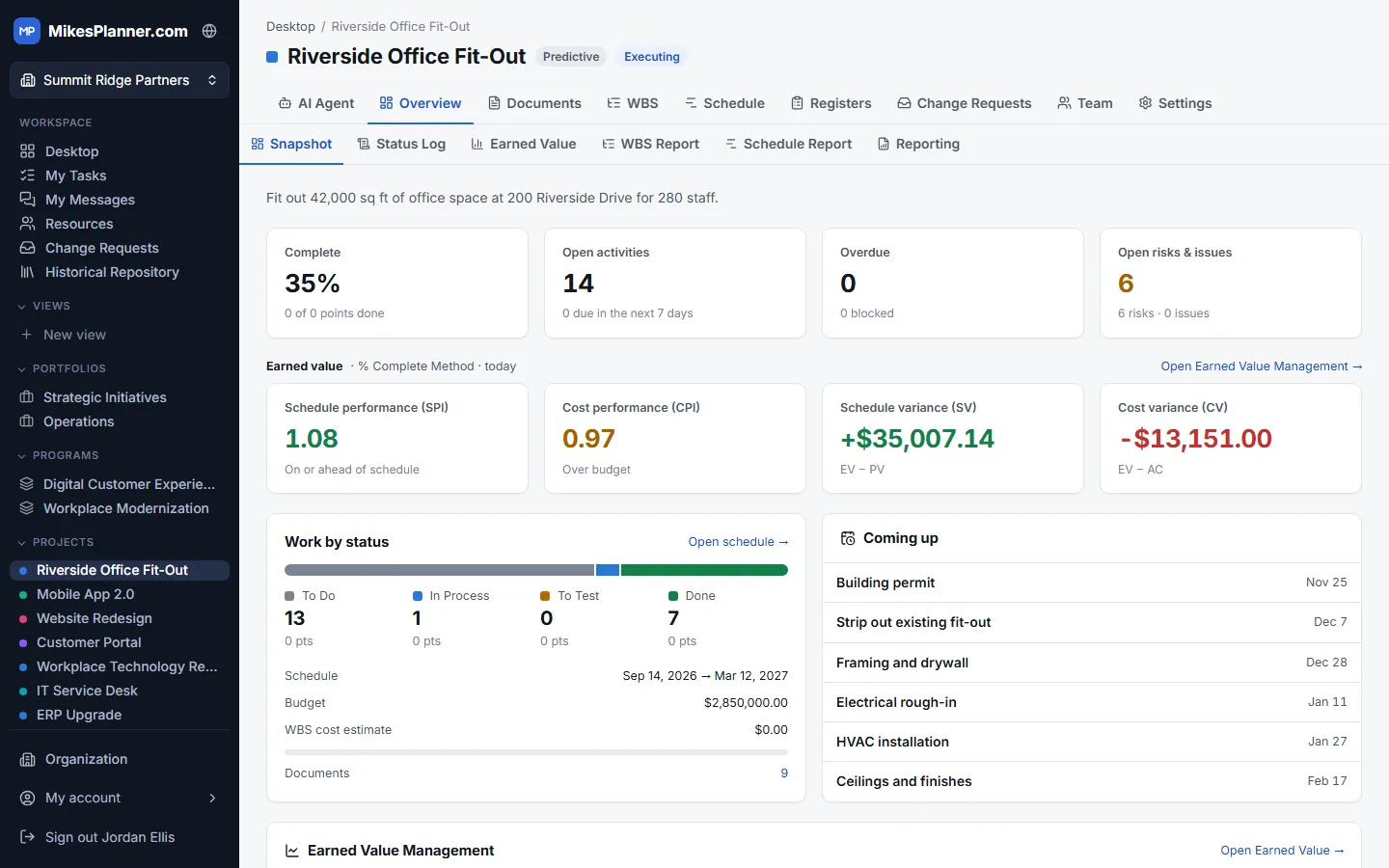
Predictive Project Management in MikesPlanner

Adaptive Project Management

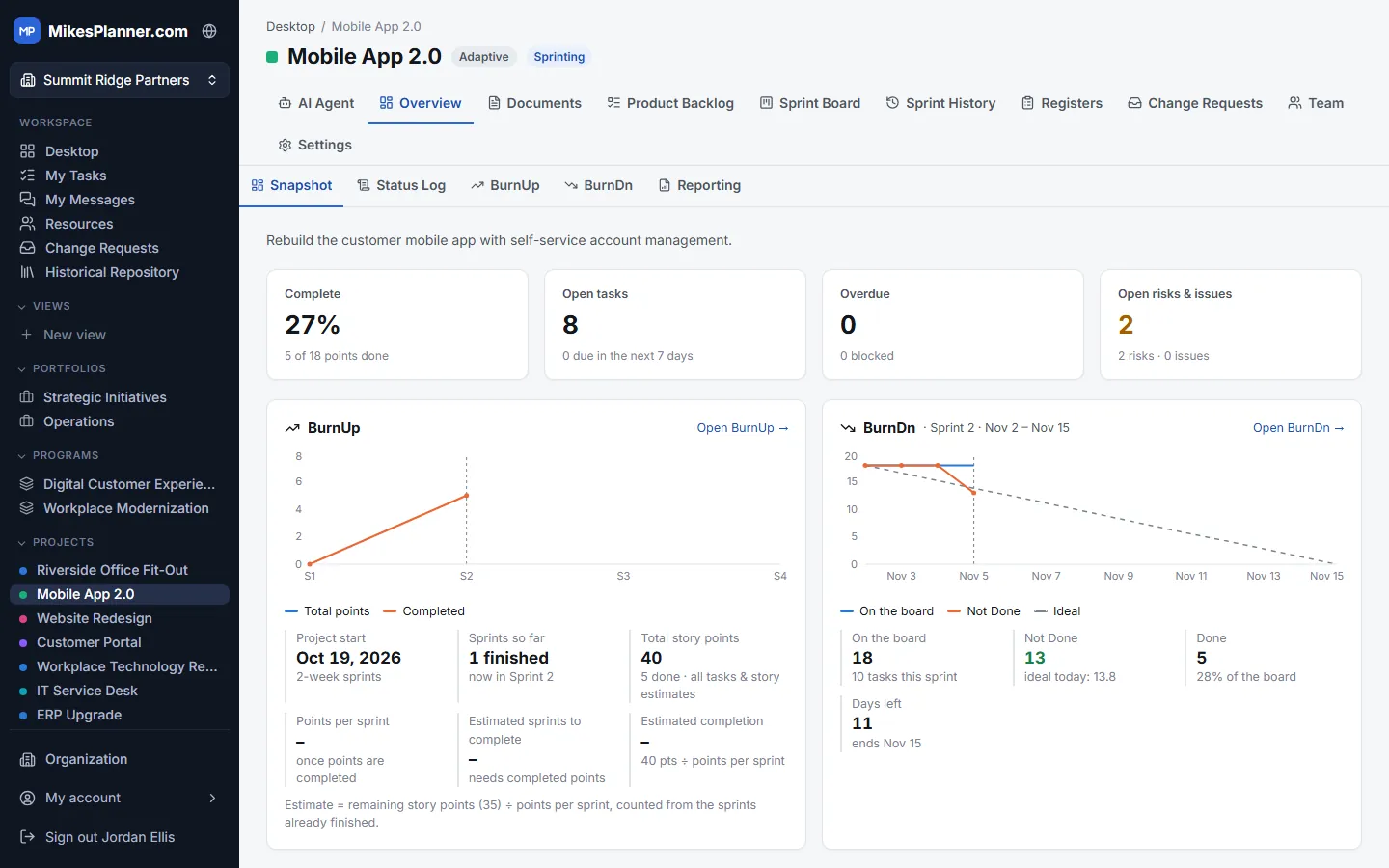
Deliver in short sprints and adjust as you learn.

  • A product backlog of epics, user stories and tasks, estimated in story points.
  • Fixed-length sprints with a sprint goal, a sprint board and a running count of days left.
  • Burn-up and burn-down charts show progress against the plan, sprint by sprint.
  • Sprint history keeps every finished sprint and what was delivered in it.
Adaptive Project Management in MikesPlanner

Governance

Program Management

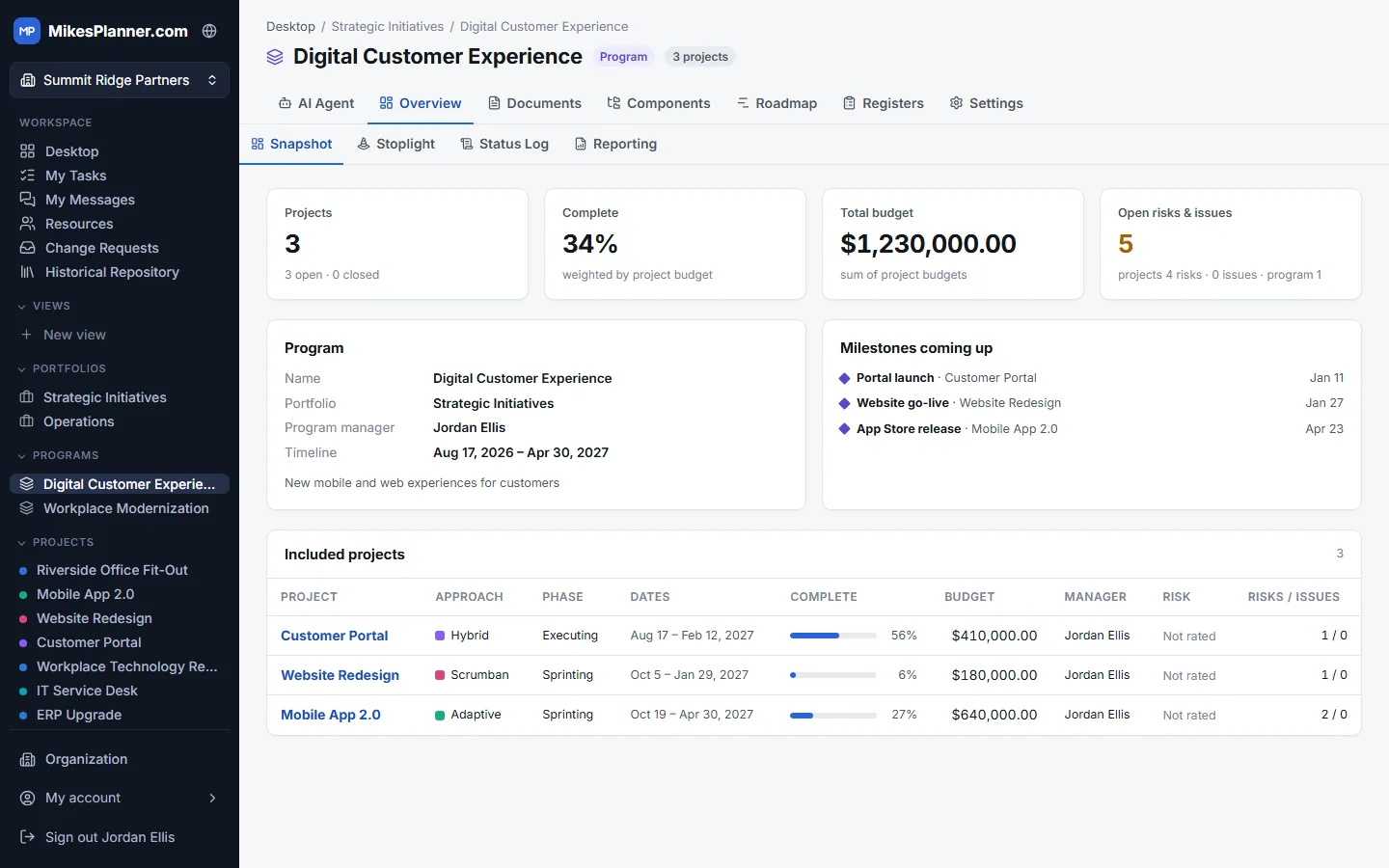
Manage related projects together to deliver a bigger outcome.

  • Group projects into a program and see them side by side: approach, phase, dates, progress, budget and risk.
  • Completion weighted by budget, total budget and open risks for the whole program.
  • A stoplight chart, a roadmap of every project’s dates and milestones, and a program status log.
  • Program charter, scope statement and registers that can be shared down to the projects.
Program Management in MikesPlanner

Portfolio Management

See every program and project in one portfolio, so you can choose where to invest.

  • A roadmap of every project’s planned dates, progress and milestones, grouped by program.
  • Stoplight chart with budget, earned value, actual cost, cost and schedule variance, CPI and SPI.
  • Portfolio snapshot, status log and reports; portfolio charter and scope statement.
  • Several portfolios per organization, for example growth initiatives and operations.
Portfolio Management in MikesPlanner

Change Control

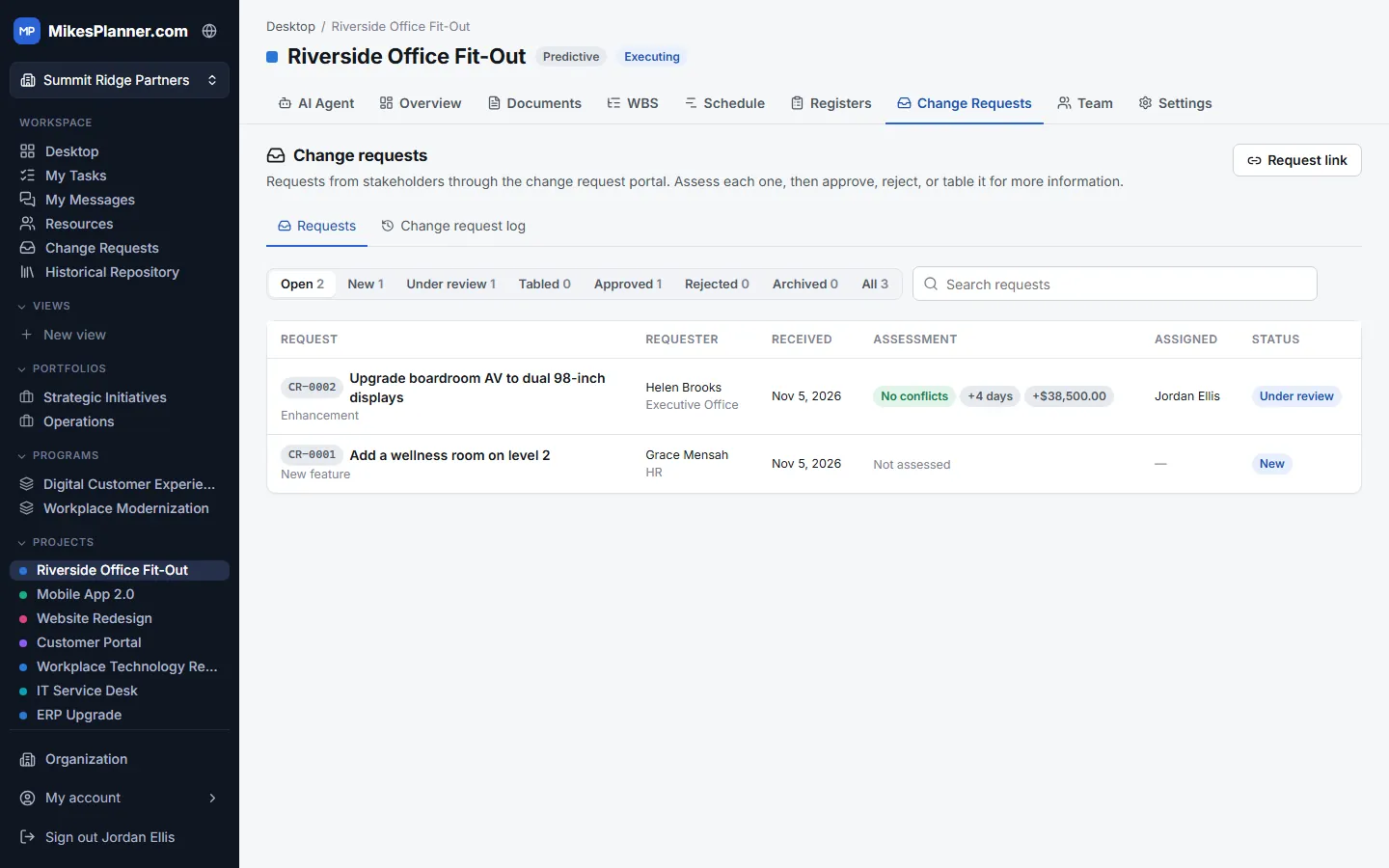
Take in, assess and decide on change requests without email chains.

  • Share a request link: stakeholders submit changes without needing an account.
  • Every request gets a reference number (CR-0001) and the requester can follow its status.
  • Assess the schedule and cost impact and any conflicts, then approve, reject or table it.
  • A change request log keeps the full decision history for audits.
Change Control in MikesPlanner

Project documents

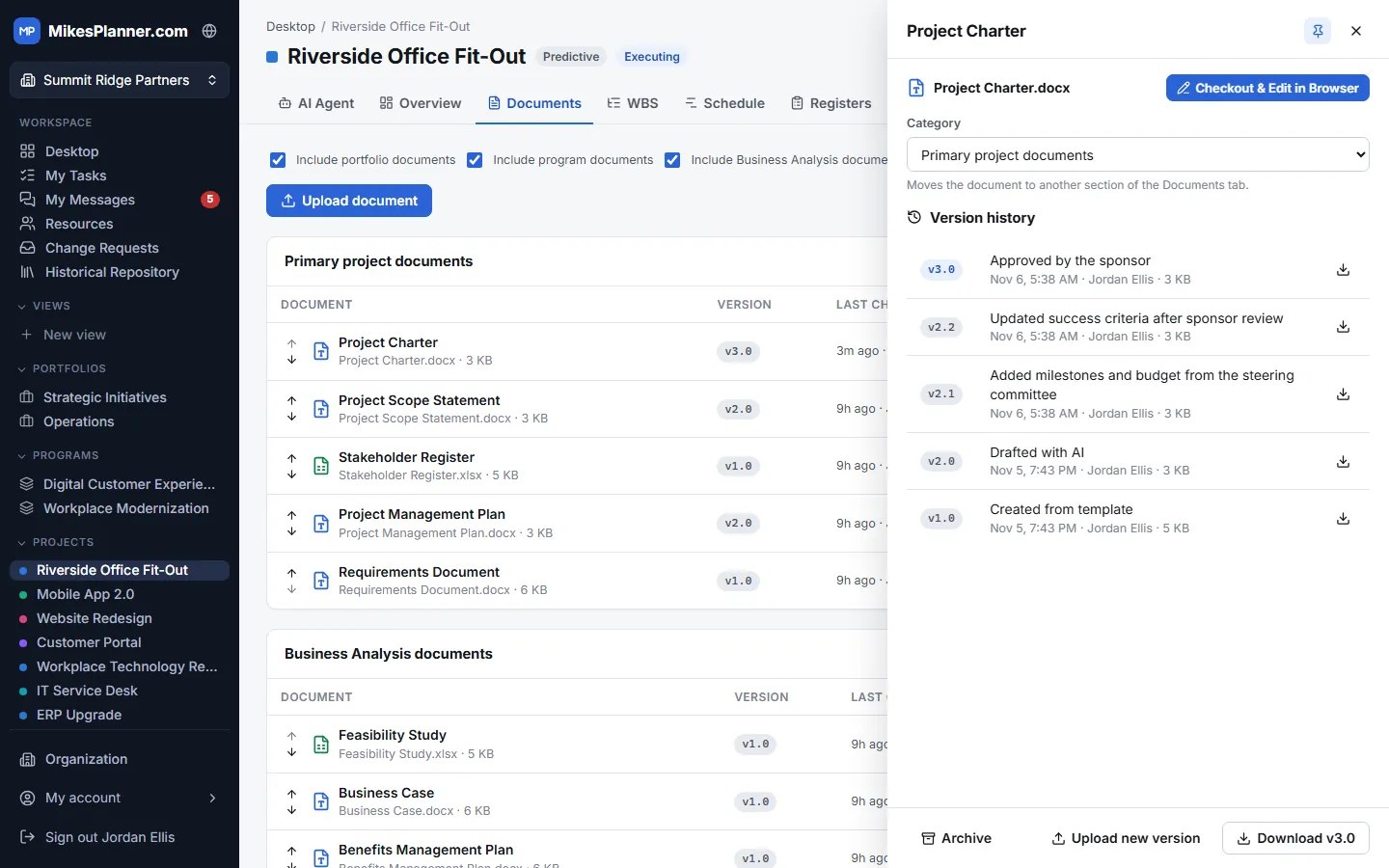
Project Charter

Authorize the project and give the project manager the authority to act.

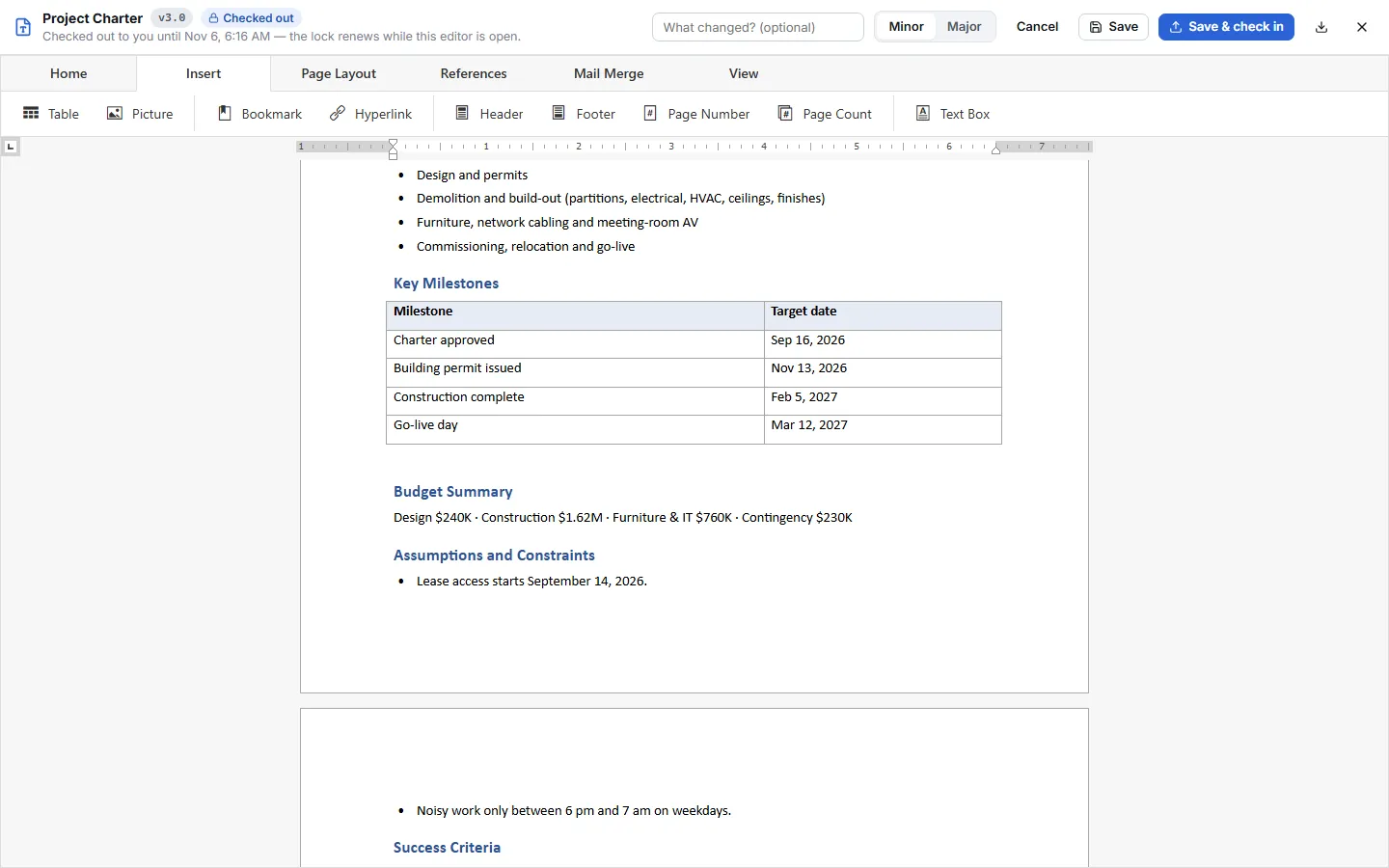
  • Every project starts with a Project Charter template: purpose, objectives, scope, milestones, budget, assumptions and success criteria.
  • Edit the Word document right in the browser, with check-out and check-in so two people never overwrite each other.
  • Every revision is kept, so you can see and download earlier versions.
  • The AI agent can draft the charter from your goals.
Project Charter in MikesPlanner

Project Scope Statement

Agree exactly what the project will and won’t deliver.

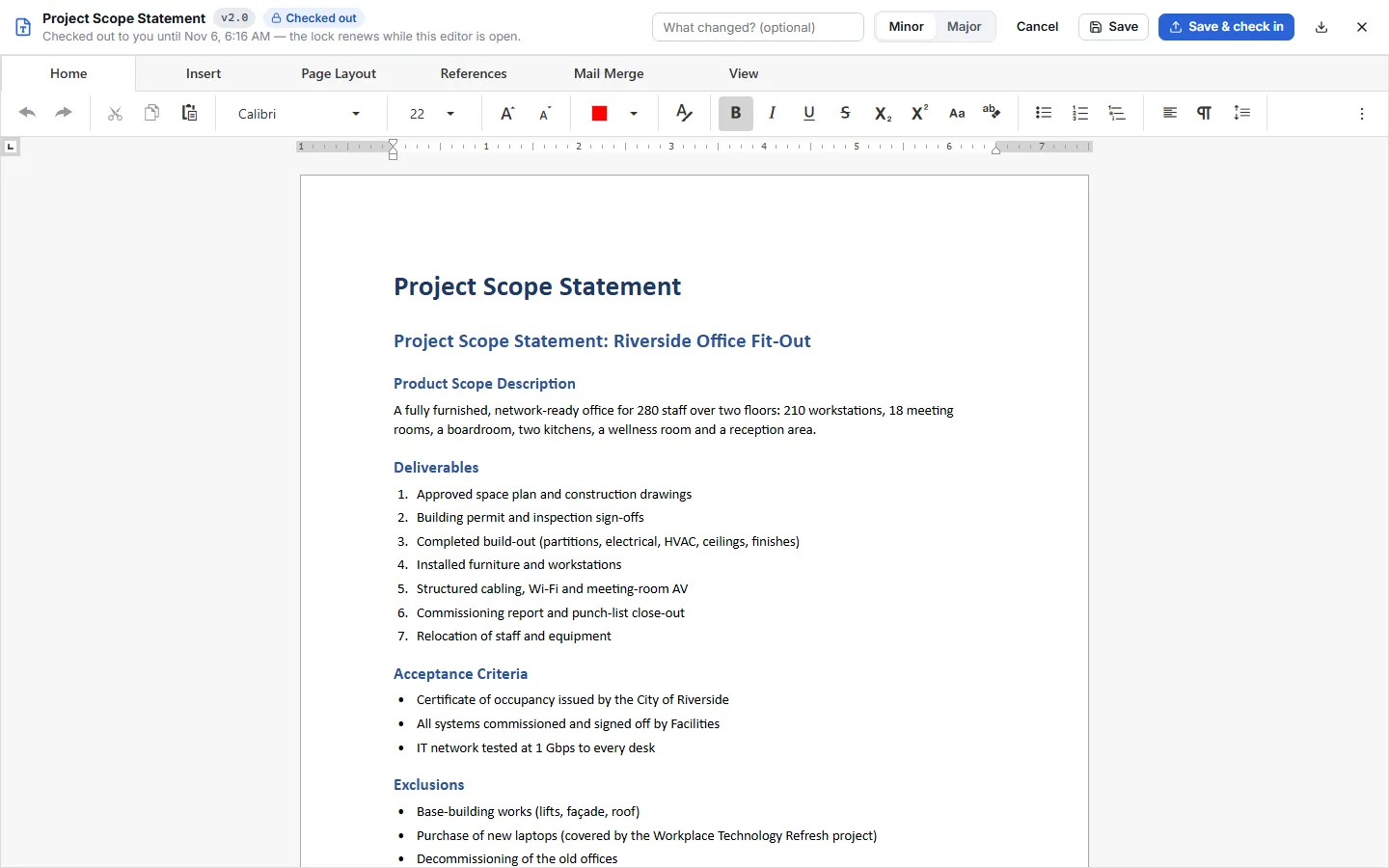
  • Product scope, deliverables, acceptance criteria, exclusions, constraints and assumptions.
  • Kept with the project’s other documents, versioned and searchable.
  • Feeds the WBS, so the work you plan matches the scope you agreed.
Project Scope Statement in MikesPlanner

Project Management Plan

Describe how the project will be planned, run, monitored and closed.

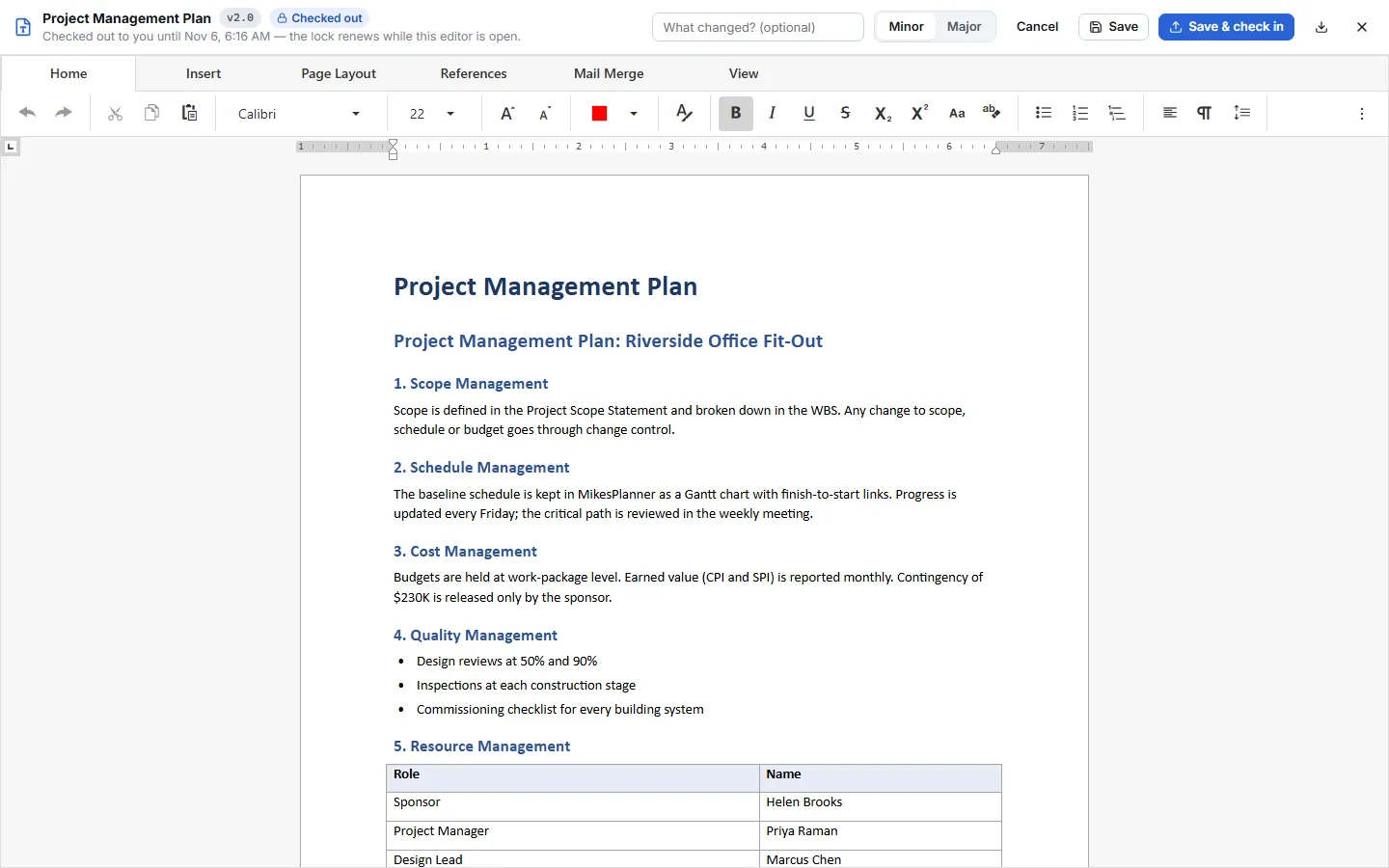
  • Scope, schedule, cost, quality, resource, communications, risk and change management in one plan.
  • Starts from a ready-made template, so nothing is forgotten.
  • Program and portfolio documents can be included alongside the project’s own.
Project Management Plan in MikesPlanner

Document Management

Every project document in one place, organized and under control.

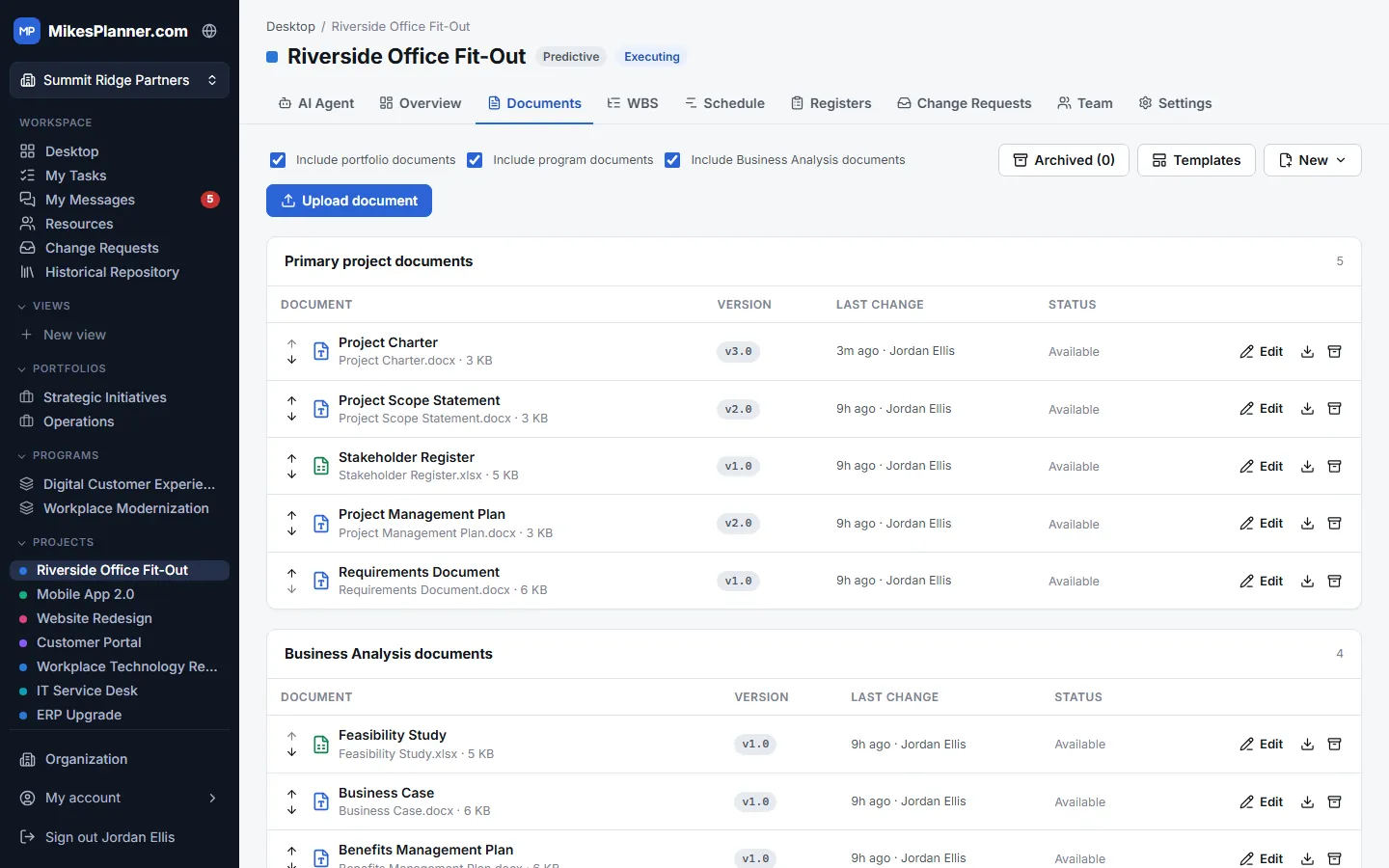
  • Primary project documents, additional documents and business analysis documents each have their own section.
  • Upload any file, start from a template, or add a link to a document kept elsewhere.
  • Check-out and check-in mean only one person edits a document at a time.
  • Show program and portfolio documents alongside the project’s own; archive what you no longer need, with a retention period or Never Delete.
Document Management in MikesPlanner

Document In-line Editing

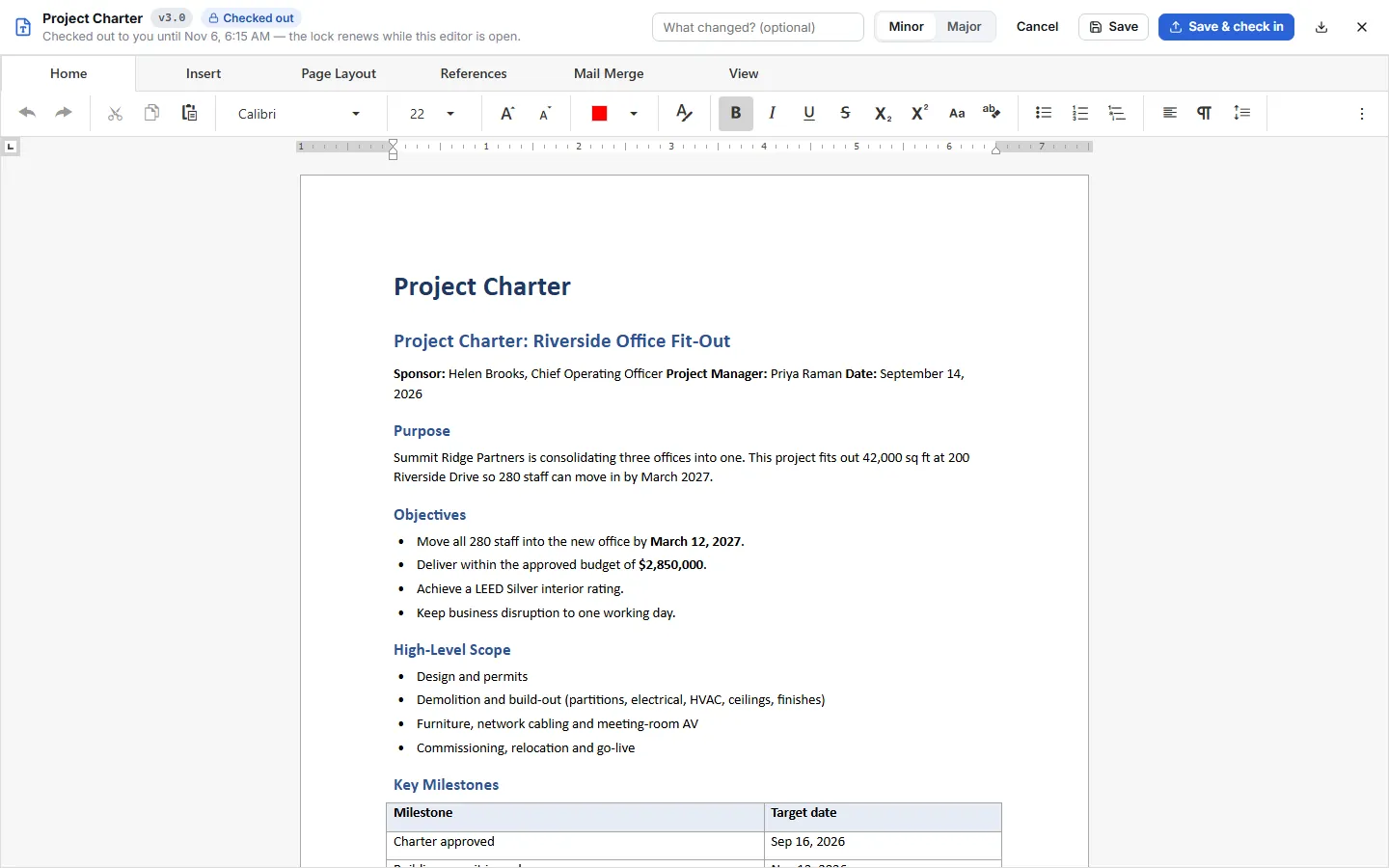
Edit Word documents right in the browser, with nothing to download.

  • A full word processor with the familiar ribbon: fonts, styles, tables, pictures, headers, footers and page numbers.
  • Opening a document checks it out to you, and the lock renews while the editor is open.
  • Save as you go, then save and check in as a minor or major version with a note about what changed.
  • Excel workbooks, such as registers, open in the in-browser spreadsheet editor.
Document In-line Editing in MikesPlanner

Document Version Control

Every version is kept, so nothing is ever lost.

  • Each check-in creates a new version: 1.1 or 1.2 for minor changes, 2.0 for major ones.
  • The version history shows who changed the document, when, and why.
  • Download any earlier version at any time.
  • Upload a new version of a file edited outside the app; locks and permissions still apply.
Document Version Control in MikesPlanner

Registers

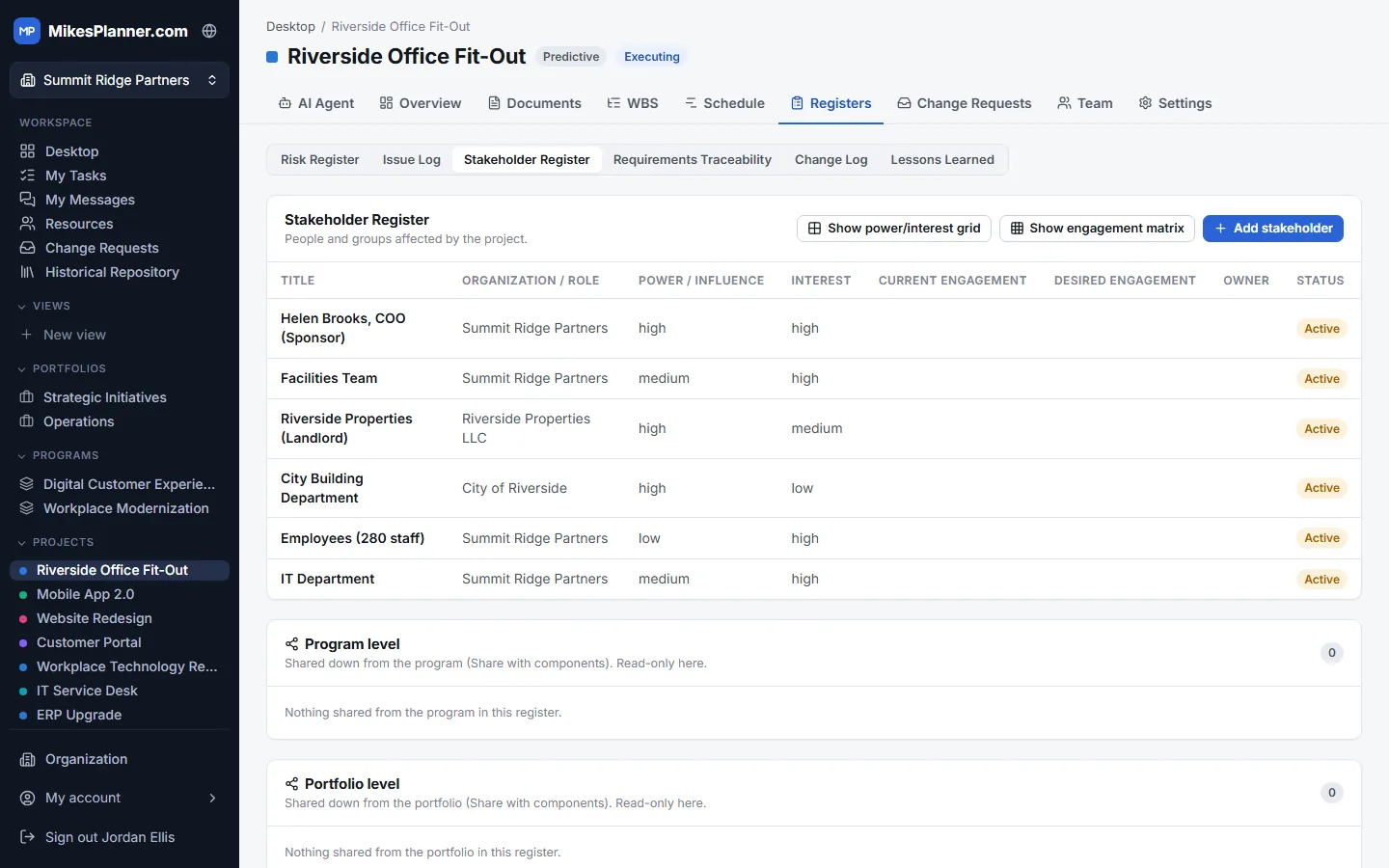
Stakeholder Register

Know who is affected by the project and what they expect.

  • Organization and role, power/influence, interest, current and desired engagement for each stakeholder.
  • A power/interest grid and an engagement matrix show where to focus.
  • Program and portfolio stakeholders can be shared down to every project.
Stakeholder Register in MikesPlanner

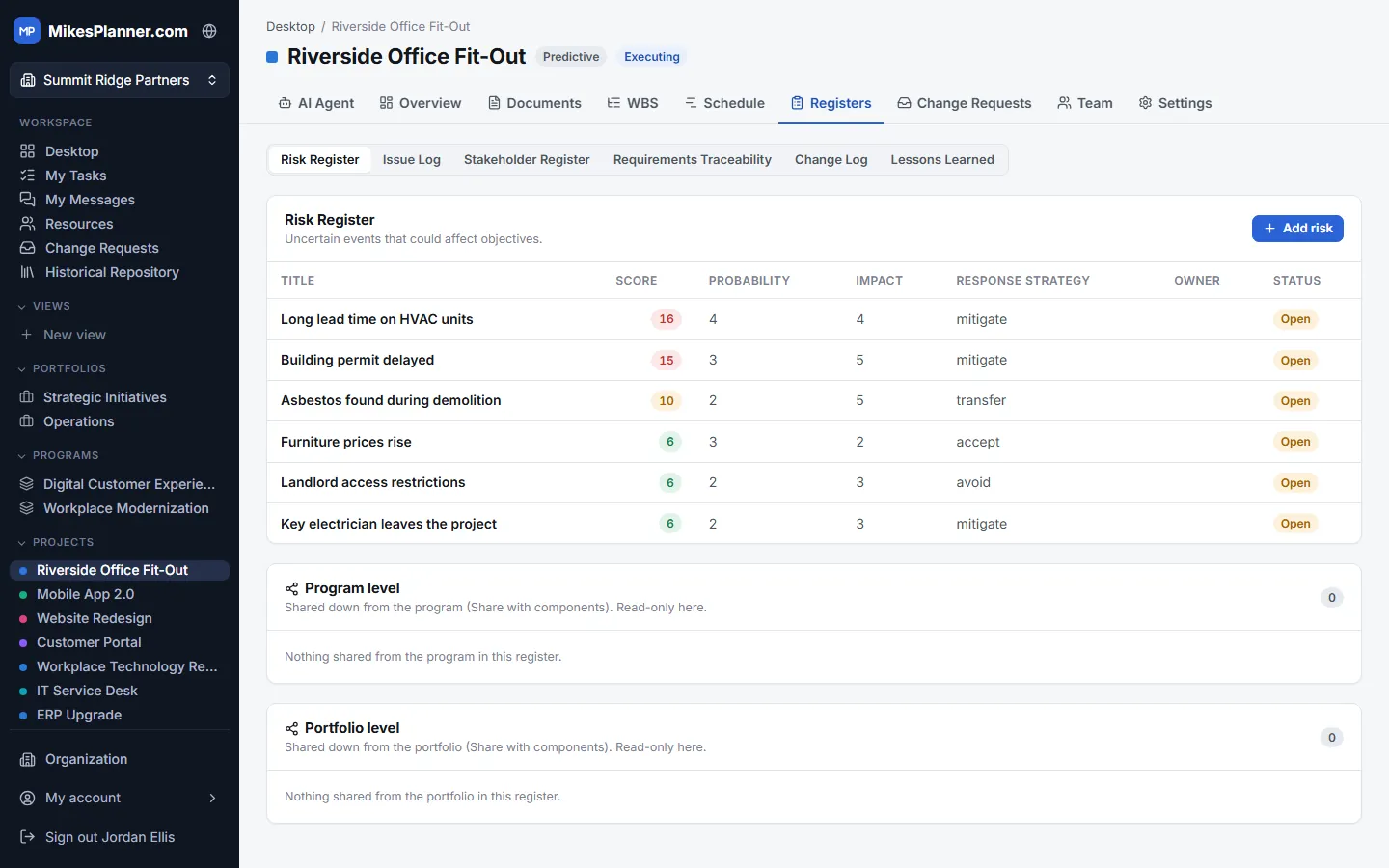
Risk Register

Spot threats early and plan how to respond.

  • Probability and impact give each risk a score, so the biggest ones stand out.
  • Record the response strategy (avoid, mitigate, transfer or accept), the owner and the status.
  • Alongside the issue log, requirements traceability, change log and lessons learned.
  • Risks raised at program or portfolio level are visible to the projects underneath.
Risk Register in MikesPlanner

Planning tools

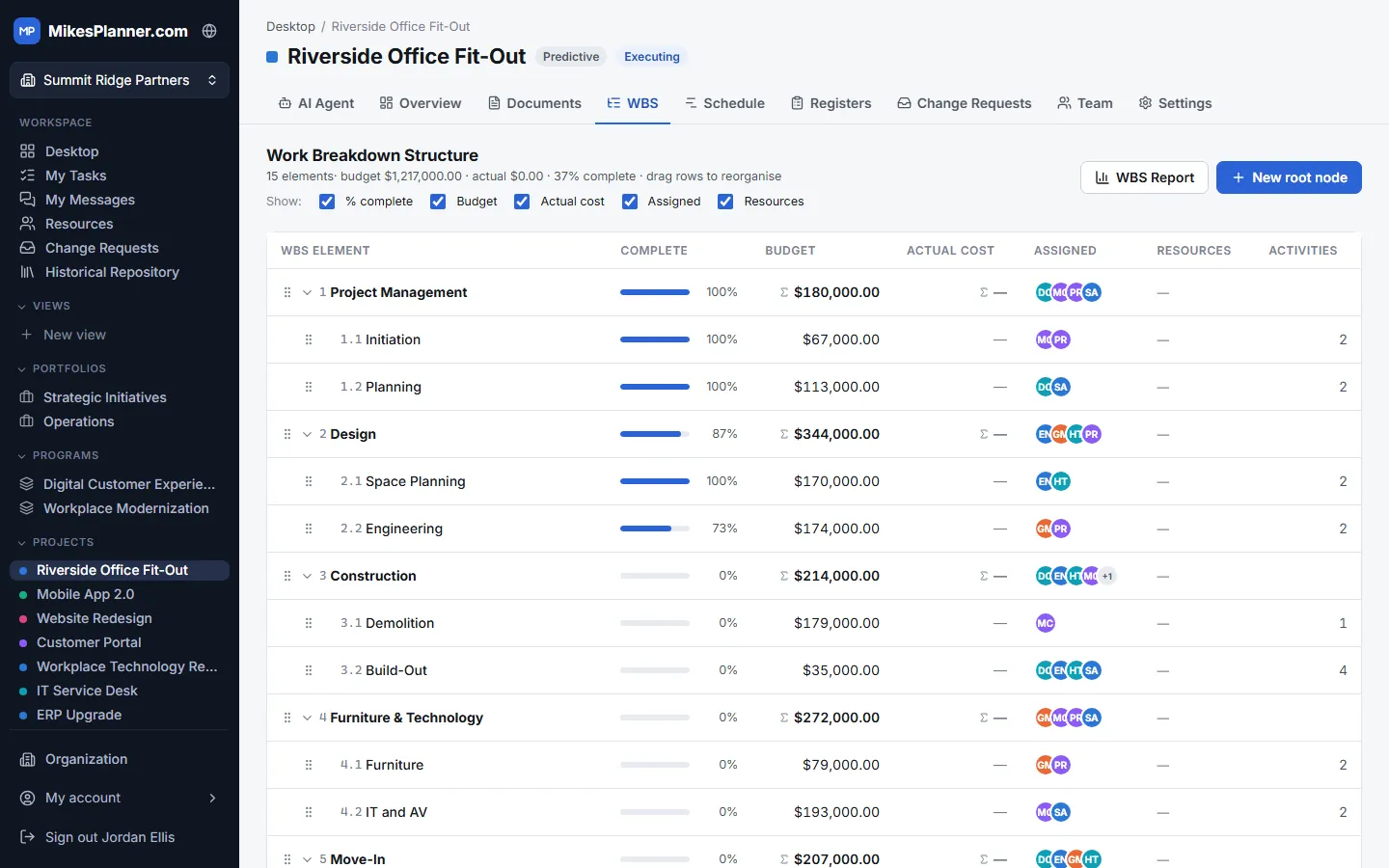
Work Breakdown Structure (WBS)

Break the project into deliverables and work packages you can manage.

  • A numbered hierarchy (1, 1.1, 1.2…) you can reorganize by dragging rows.
  • Budget, percent complete, actual cost and the people assigned for every work package.
  • Totals roll up through the structure, and the WBS report prints it all.
Work Breakdown Structure (WBS) in MikesPlanner

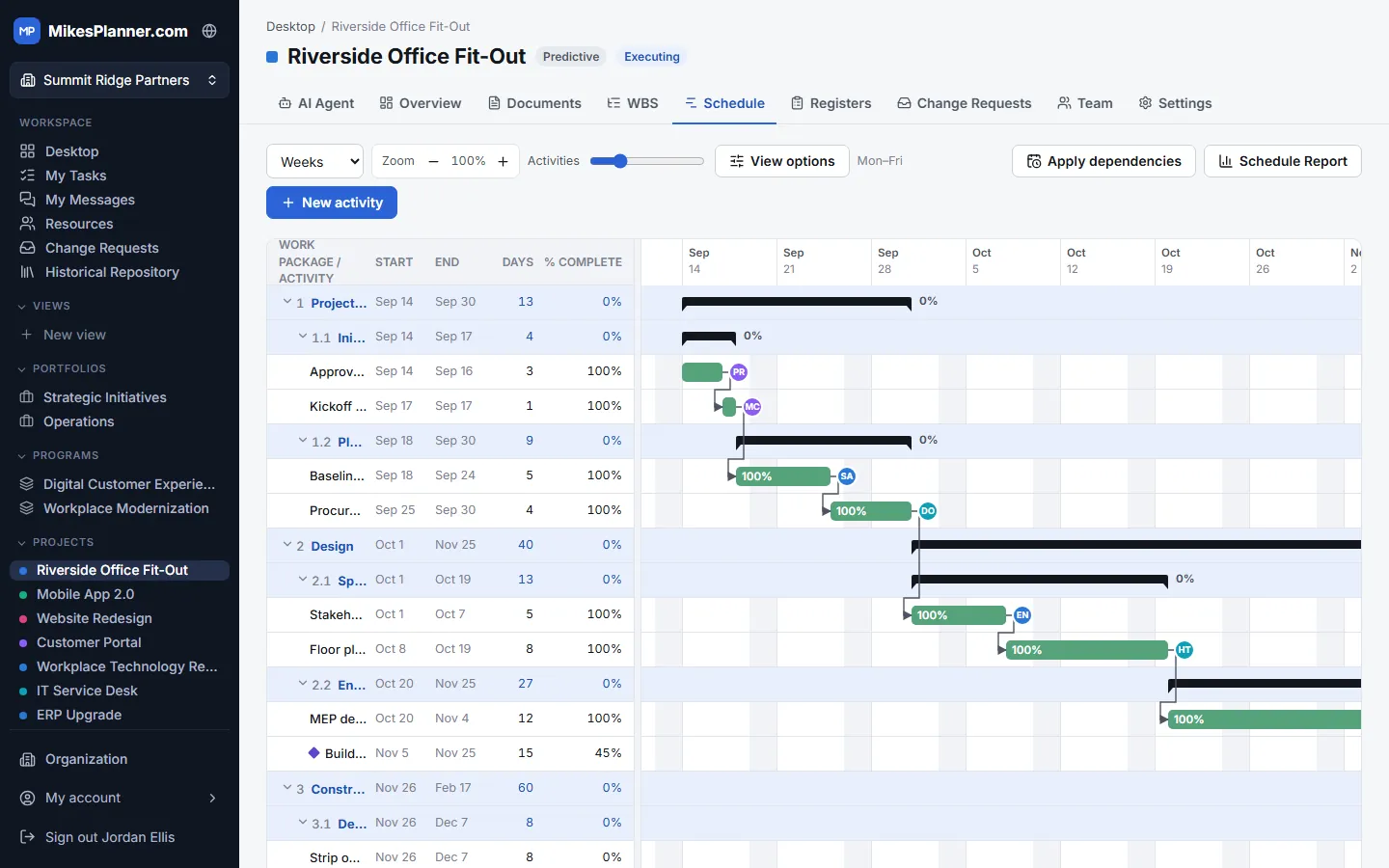
Schedule & Gantt Chart

Turn the WBS into a timeline everyone can follow.

  • Activities sit under their work packages, with start and end dates, duration and percent complete.
  • Finish-to-start, start-to-start, finish-to-finish and start-to-finish dependencies with lag.
  • Milestones, a working calendar with holidays, and zoom from days to months.
  • Apply dependencies to reschedule in one click; print a schedule report.
Schedule & Gantt Chart in MikesPlanner

Agile boards

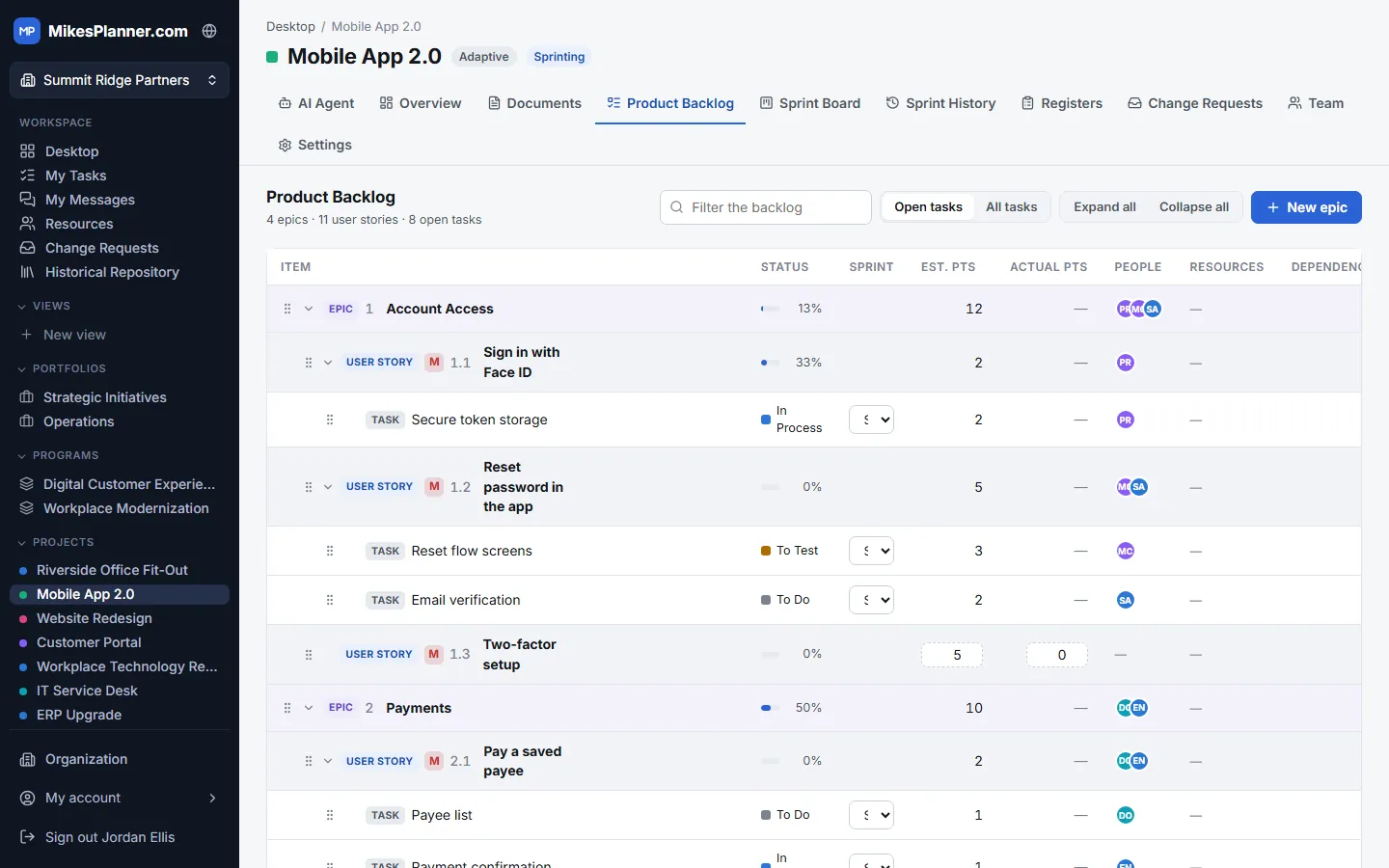
Product Backlog

One ordered list of everything the product needs.

  • Epics break down into user stories, and stories into tasks.
  • Estimated and actual story points, priority, people and dependencies on every item.
  • Move stories into the sprint when the team is ready to take them on.
Product Backlog in MikesPlanner

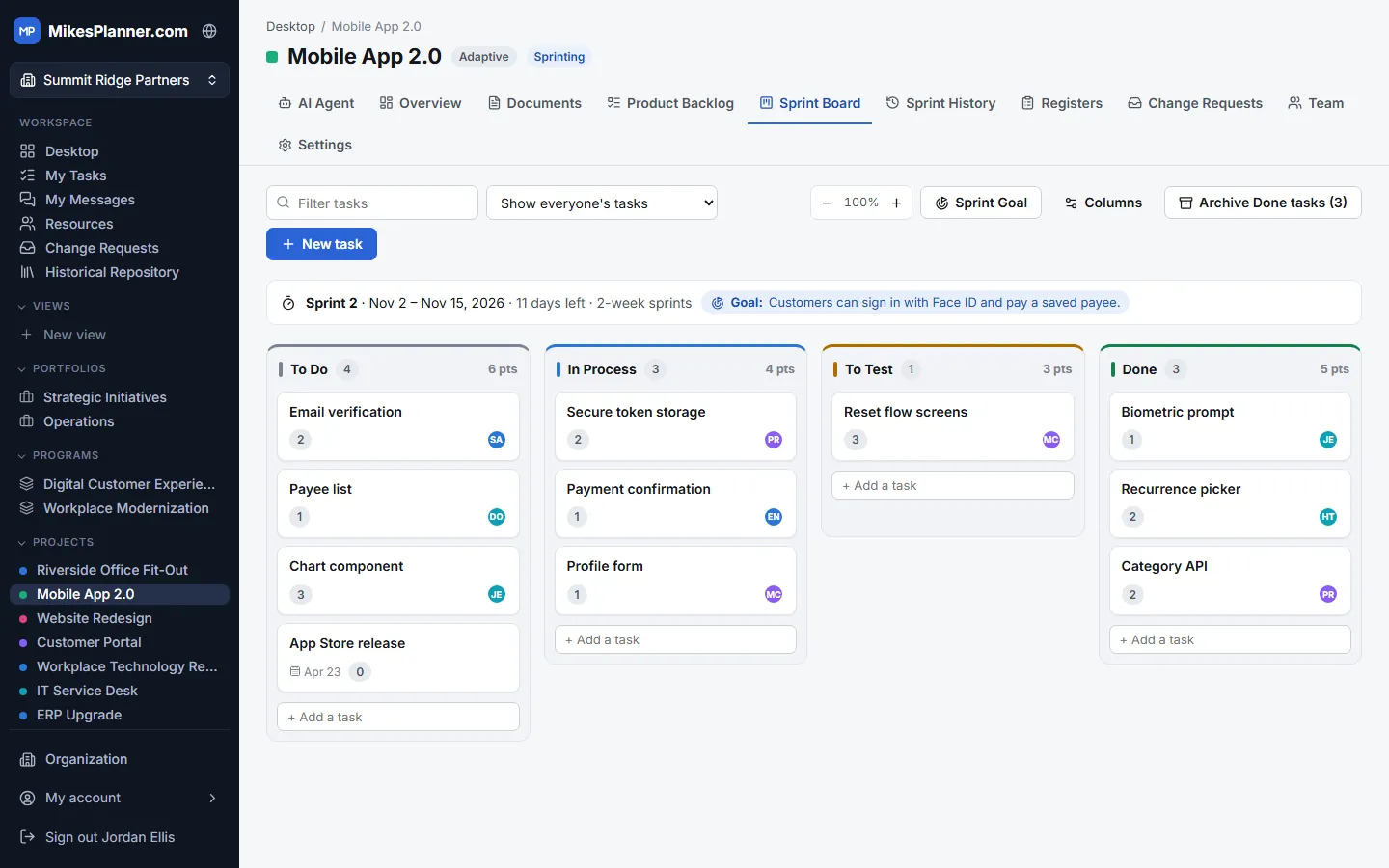
Sprint Board

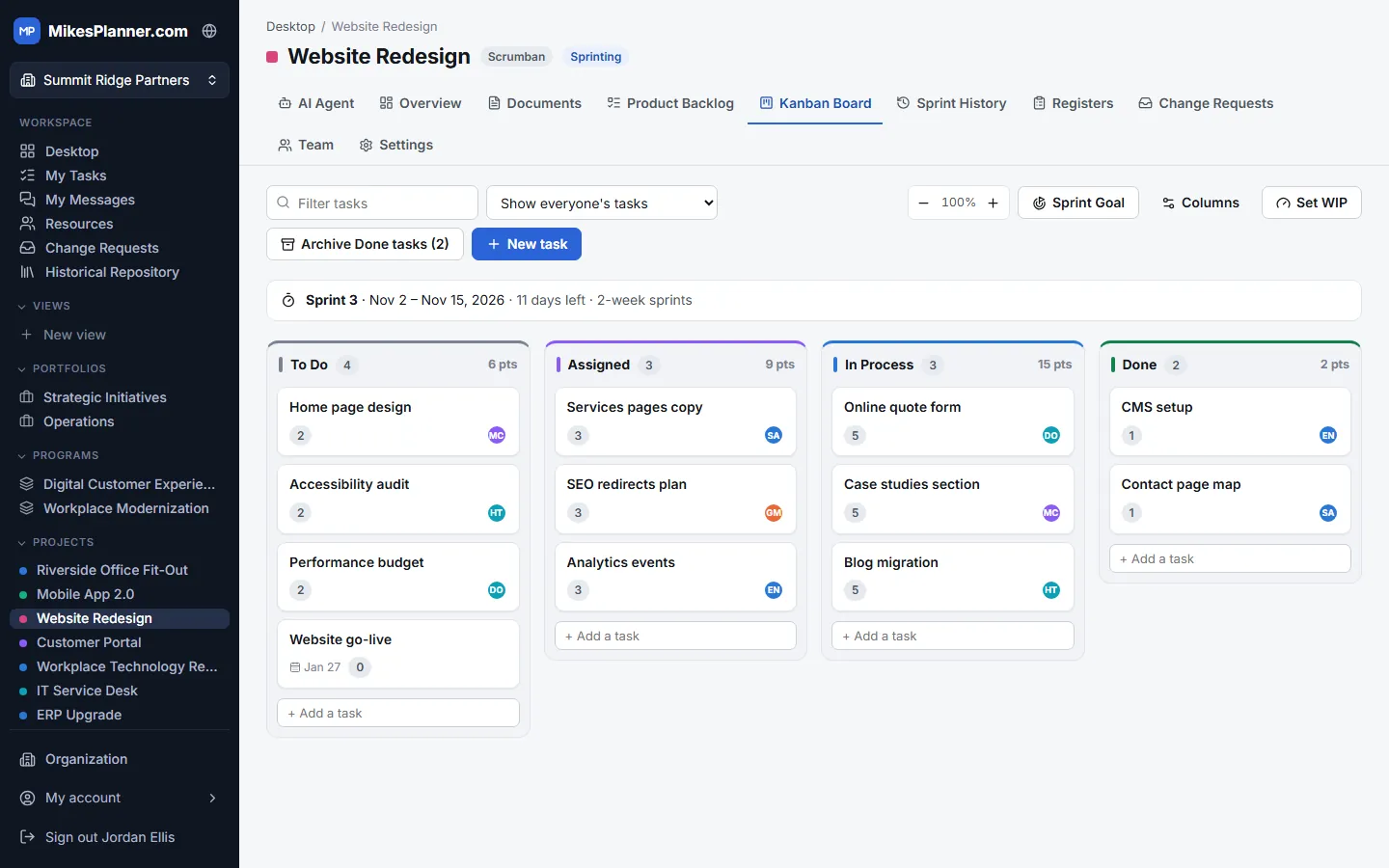
See the sprint’s work move from To Do to Done.

  • Columns for To Do, In Process, To Test and Done, with story points per column.
  • The sprint goal, dates and days left are always in view.
  • Filter by person, customize the columns and archive finished work into sprint history.
Sprint Board in MikesPlanner

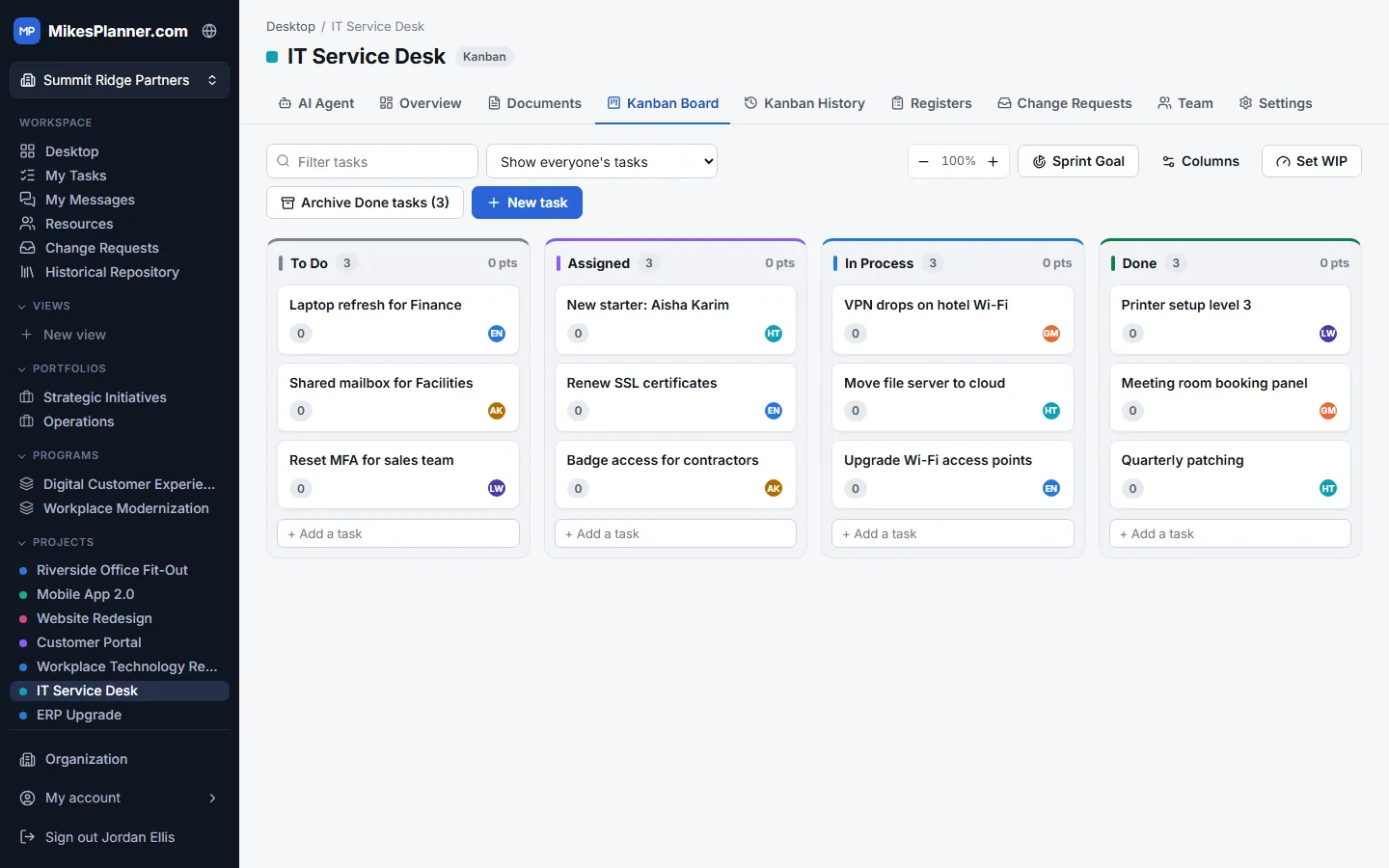
Kanban Board

Manage a continuous flow of work, with no sprints.

  • Add work straight to the board and pull it through your own columns.
  • Work-in-progress (WIP) limits keep the team from taking on too much.
  • A cumulative flow diagram shows bottlenecks; Kanban history keeps finished work.
Kanban Board in MikesPlanner

Scrumban

The cadence of Scrum with the flow of Kanban.

  • A product backlog and regular sprints for planning and review.
  • A Kanban board with WIP limits for day-to-day flow.
  • Ideal for teams that handle planned work and incoming requests together.
Scrumban in MikesPlanner

Work and collaboration

Task Management

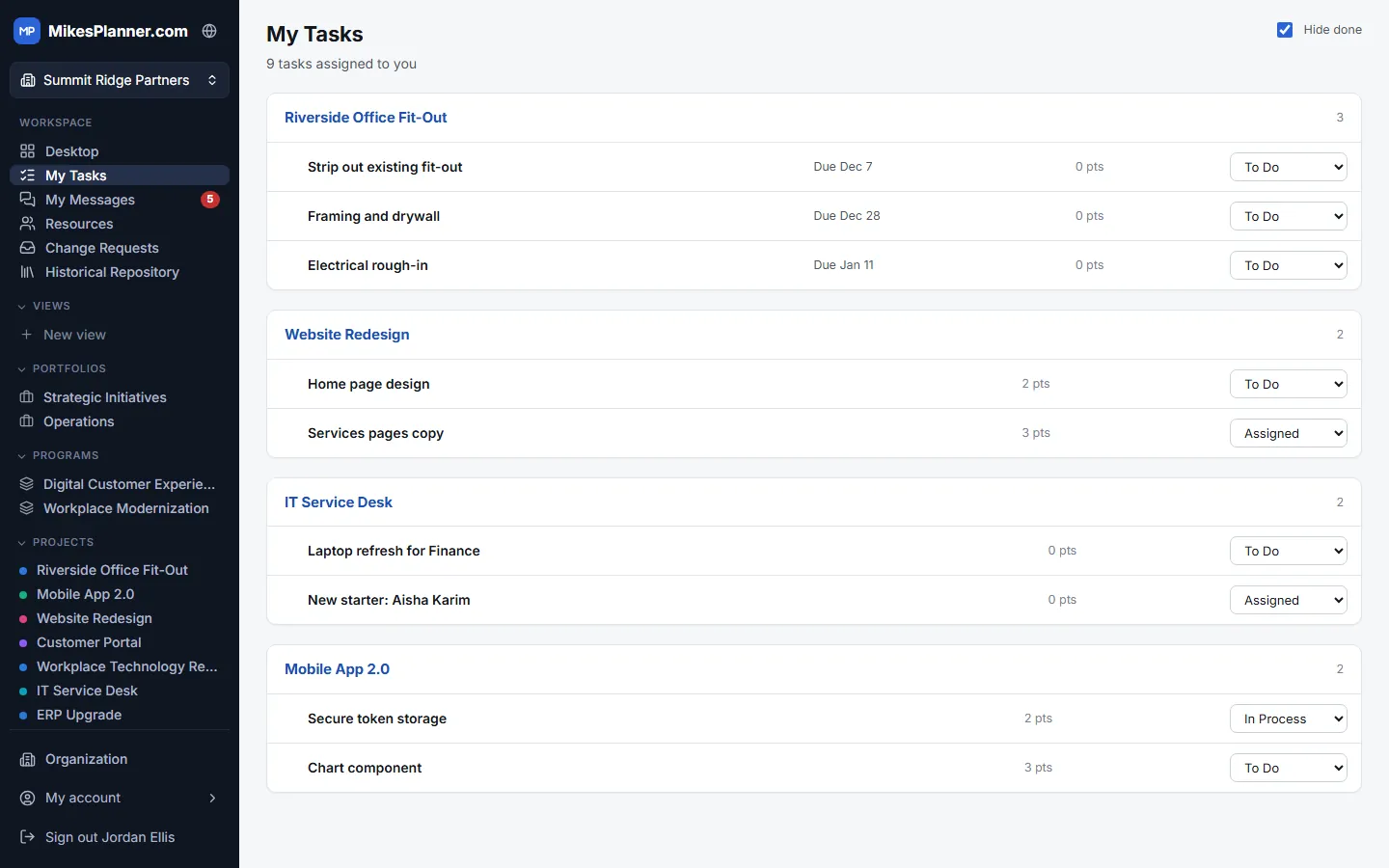
Everyone sees their own work, across every project, in one list.

  • My Tasks gathers every task, activity and story assigned to you in any open project, grouped by project.
  • Due dates, story points and the number overdue at a glance, with late work flagged in red.
  • Move a task to its next board column straight from the list, without opening the project.
  • Assign several people to a task, mark it blocked, and track progress, story points and cost.
Task Management in MikesPlanner

Team Messaging & Alerts

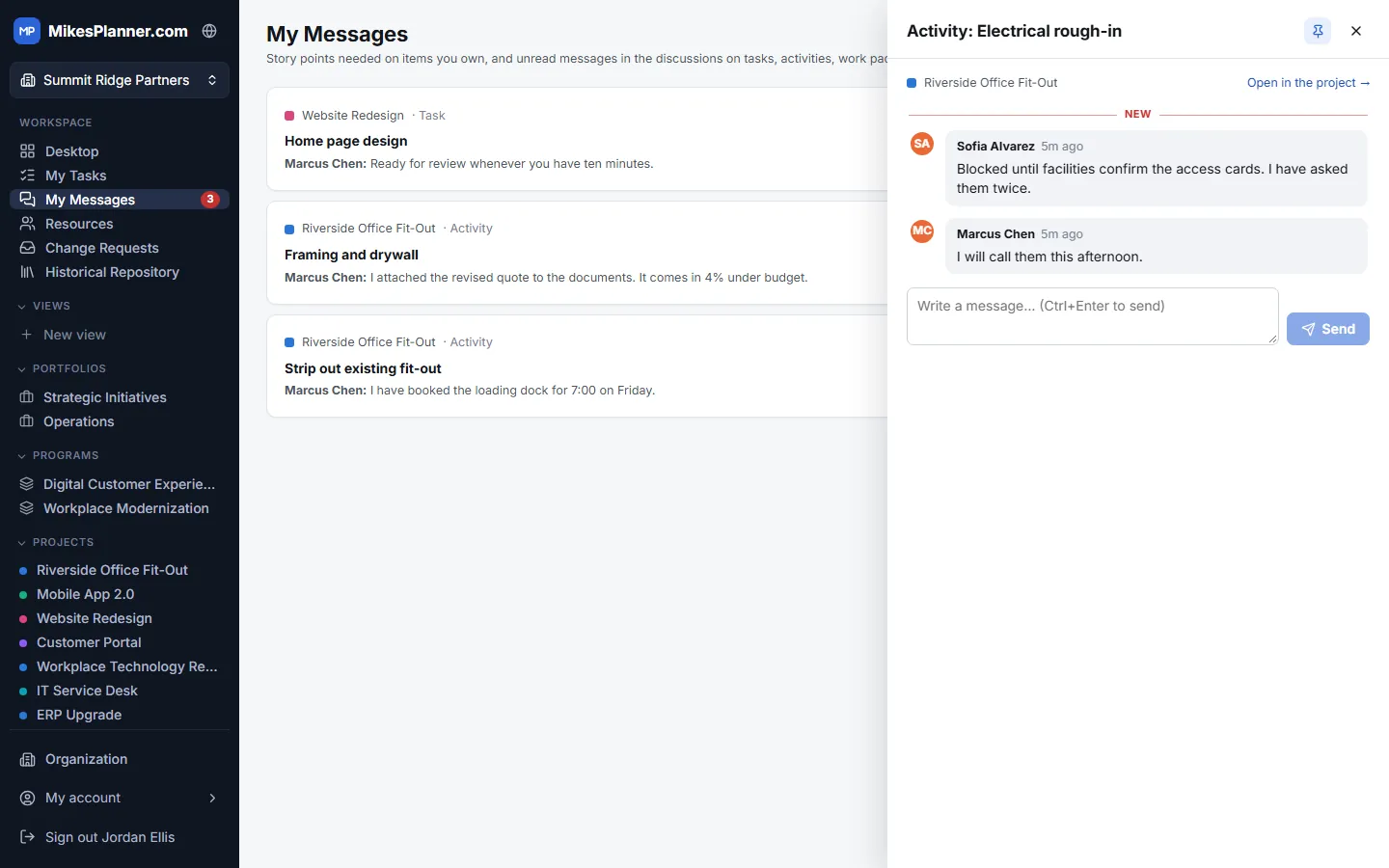
Discuss the work where it happens, and never miss a reply.

  • Every task, activity, work package and user story has its own discussion thread.
  • My Messages collects unread messages from all your projects, with a count on the menu that updates by itself.
  • Reminders flag the items you own that still need story point estimates or actual points.
  • Email alerts keep the project manager and requesters up to date on change requests, decisions and replies.
  • Messages are encrypted with your organization’s own keys.
Team Messaging & Alerts in MikesPlanner

Reporting and insight

Customer Reporting

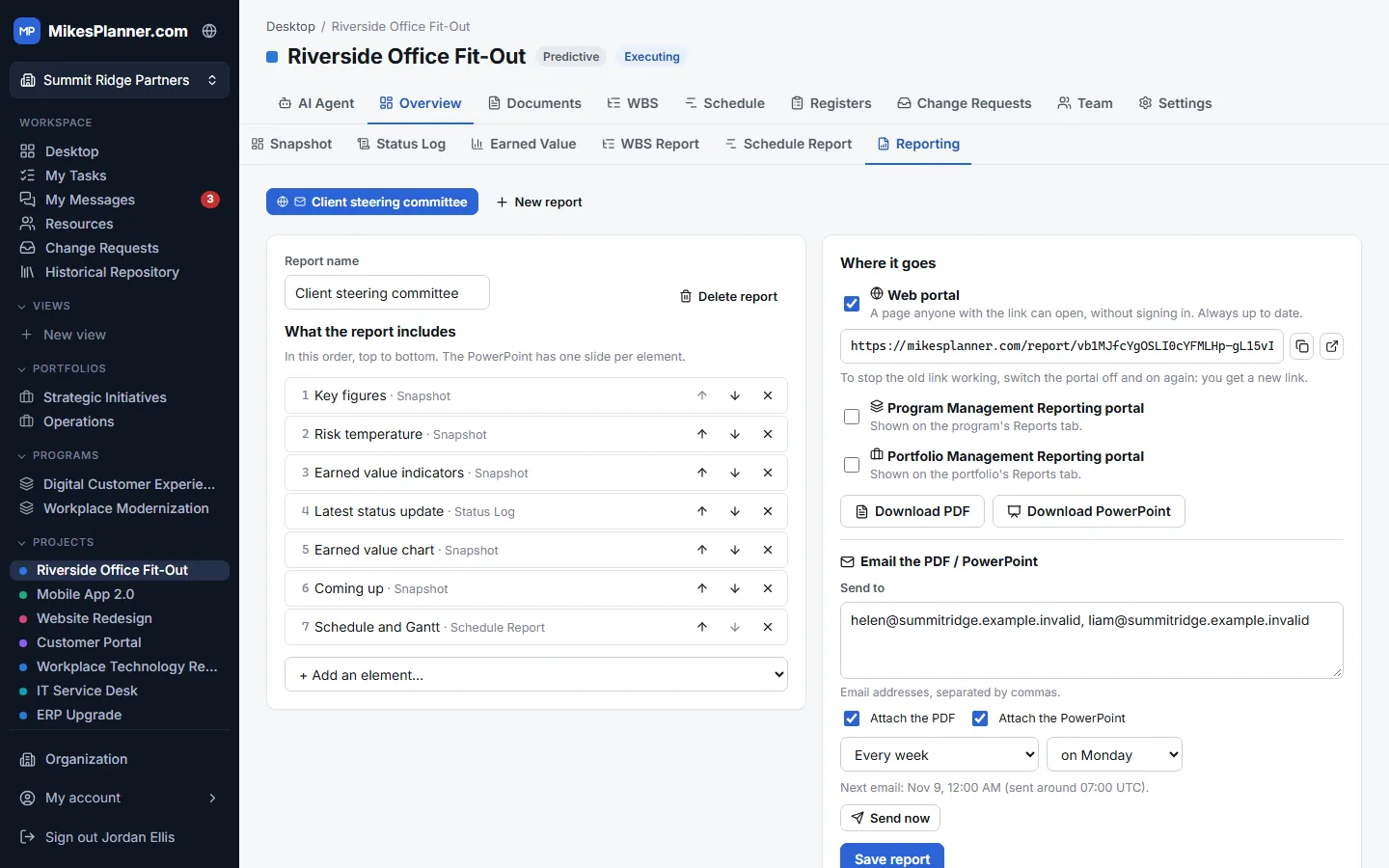
Send each audience the report it needs, automatically.

  • Build a report for each audience from key figures, risk temperature, earned value, the latest status, the schedule and Gantt chart, burn-up charts and more.
  • Share a web portal link that customers open without signing in. It is always up to date.
  • Email the report as a PDF and a PowerPoint every week or month, or send it right away.
  • Project reports can also appear on the program and portfolio reporting portals.
Customer Reporting in MikesPlanner

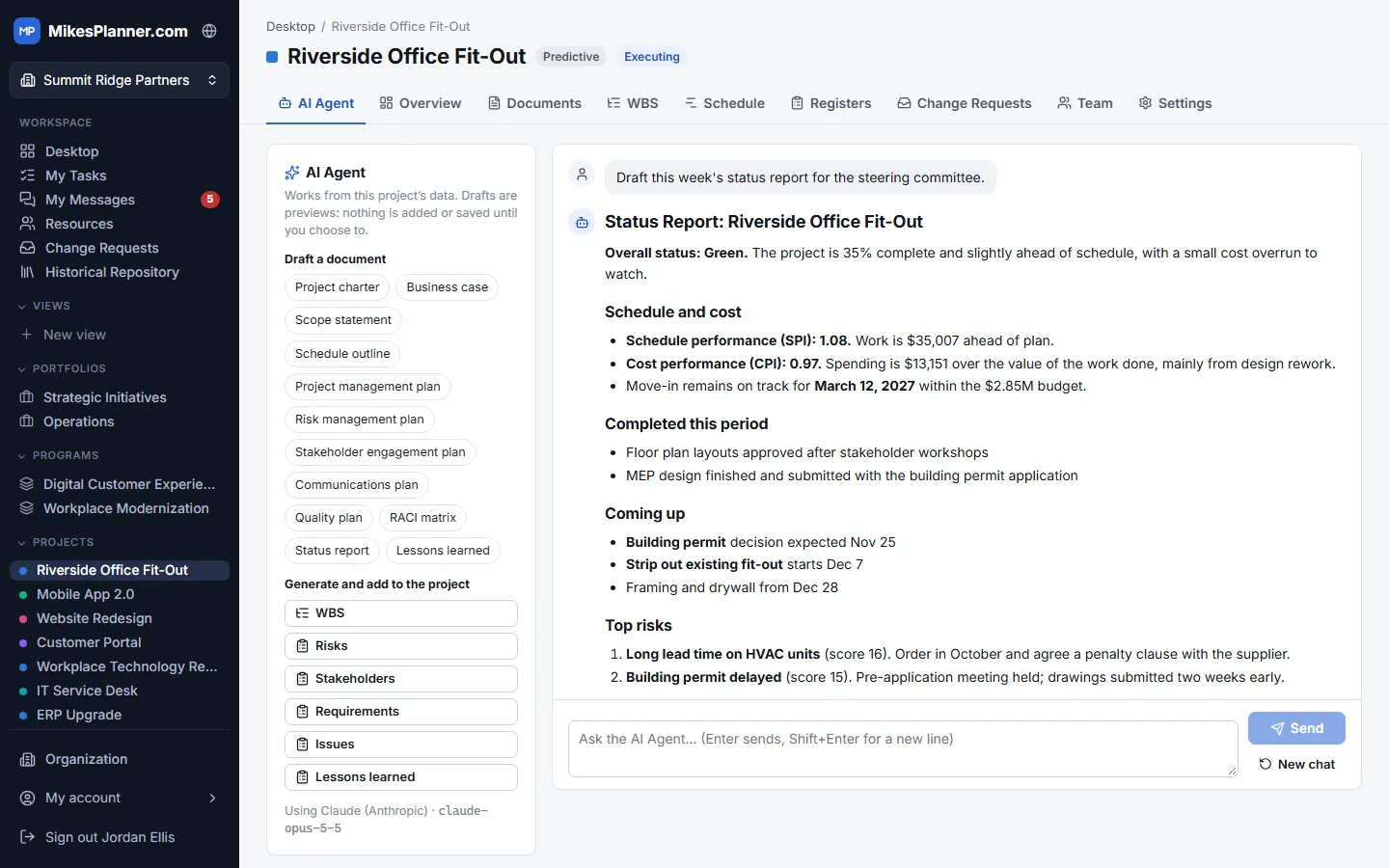
AI Integration

An AI agent that knows your project and drafts the paperwork.

  • Drafts charters, scope statements, management plans, status reports, RACI matrices and more from the project’s own data.
  • Ask questions in plain English, such as “Which risks threaten the go-live date?”
  • Generates a WBS or backlog, risks, stakeholders, requirements, issues and lessons learned for you to review. Nothing is added until you approve it.
  • Save any draft as a Word document in Documents, where it is versioned like any other file.
  • Works on projects, programs and portfolios, with the AI included in your plan or your organization’s own Claude, OpenAI or Gemini account.
AI Integration in MikesPlanner

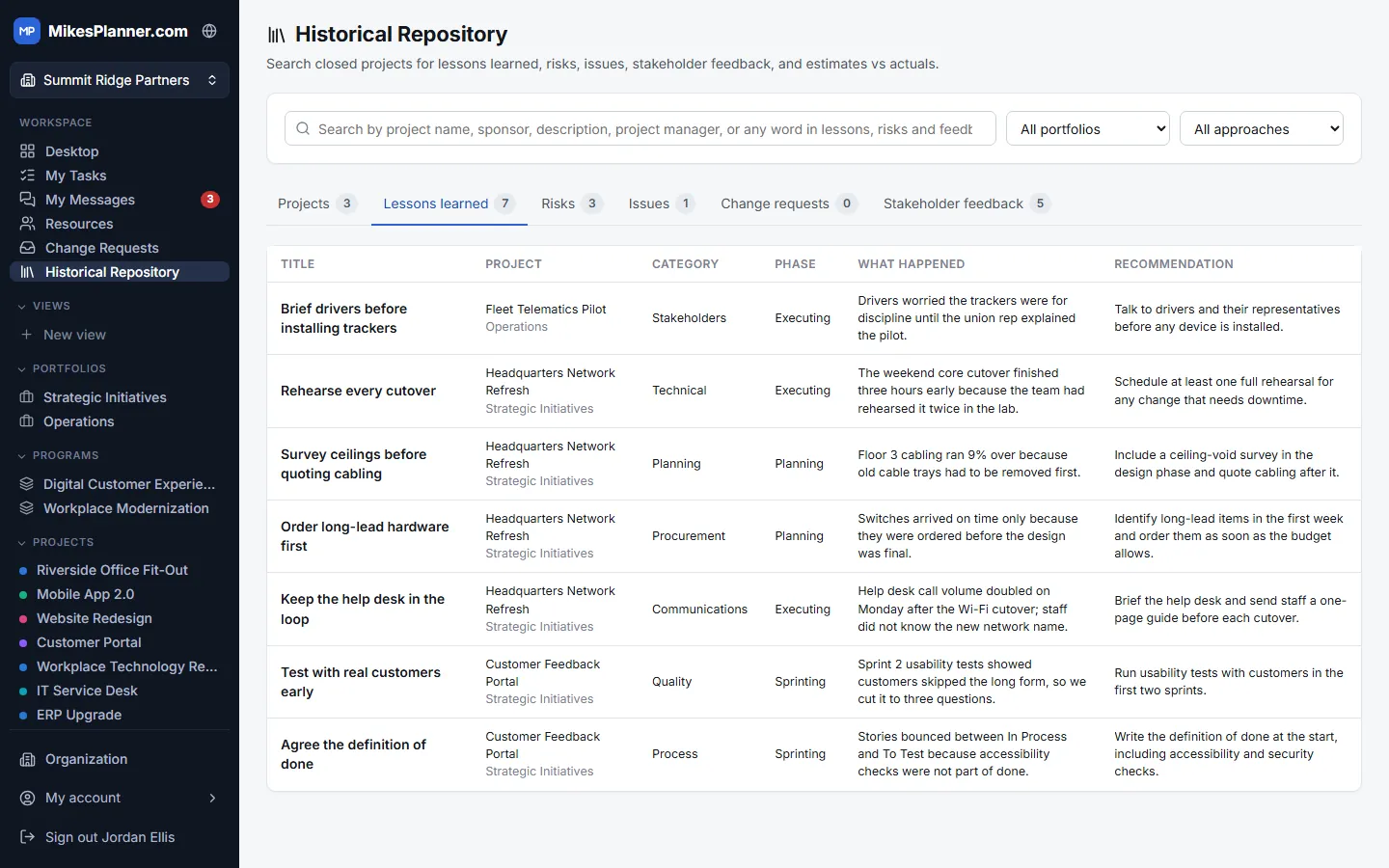
Project Historical Repository

Learn from every project you have finished.

  • Search every closed project by name, sponsor, manager, or any word in its lessons, risks and feedback.
  • Lessons learned, risks, issues, change requests and stakeholder feedback from all closed projects in one place.
  • Estimates vs actuals: finish dates, costs and story points compared with the plan, project by project.
  • Collect close-out feedback with a link stakeholders can use without signing in, even anonymously.
  • Copy a past project to start a new one, or ask the AI to sum up patterns across past projects.
Project Historical Repository in MikesPlanner

Start planning with MikesPlanner

Set up your organization in a few minutes and create your first project.